
This defender’s note covers affected versions, Fortinet’s workaround, and the indicators to check before you call the incident closed. It contains no exploit steps — only publicly published versions, fixes, and compromise indicators from Fortinet and CISA.
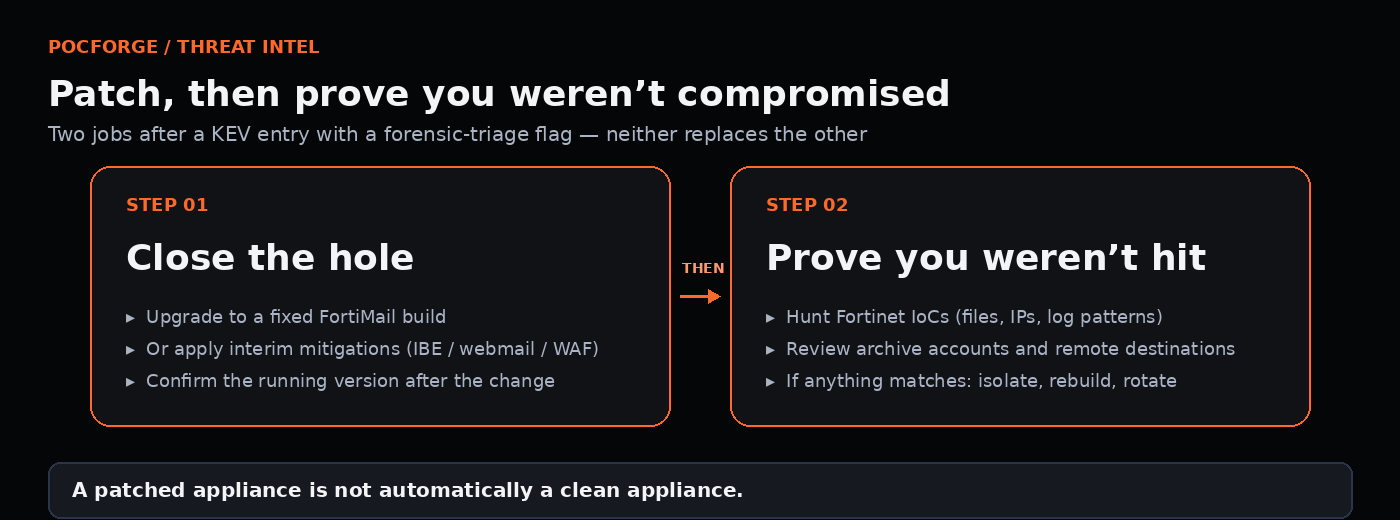
What the vulnerability is
Fortinet describes the issue as a path traversal (CWE-22) combined with improper handling of NULL bytes (CWE-158) in the FortiMail GUI. It can let an unauthenticated attacker write arbitrary files on the underlying system through crafted HTTP or HTTPS requests. Fortinet lists the impact as execution of unauthorized code or commands. The flaw sits in the Identity-Based Encryption (IBE) feature path, which is why Fortinet’s workaround focuses on IBE.
Fortinet has not said when exploitation began, how many devices were hit, or who is responsible. It found the bug internally and says it is coordinating with CISA.
Why it matters
Email gateways sit at the edge, see every message, and often hold credentials and archive settings. A device that lets an attacker write files without logging in is a direct path to persistence on one of the most trusted boxes in the network. Fortinet’s own indicators point to exactly that: added libraries, modified binaries, a preload hook, and a remote archive account configured to ship data to an outside server.
Affected versions and fixes
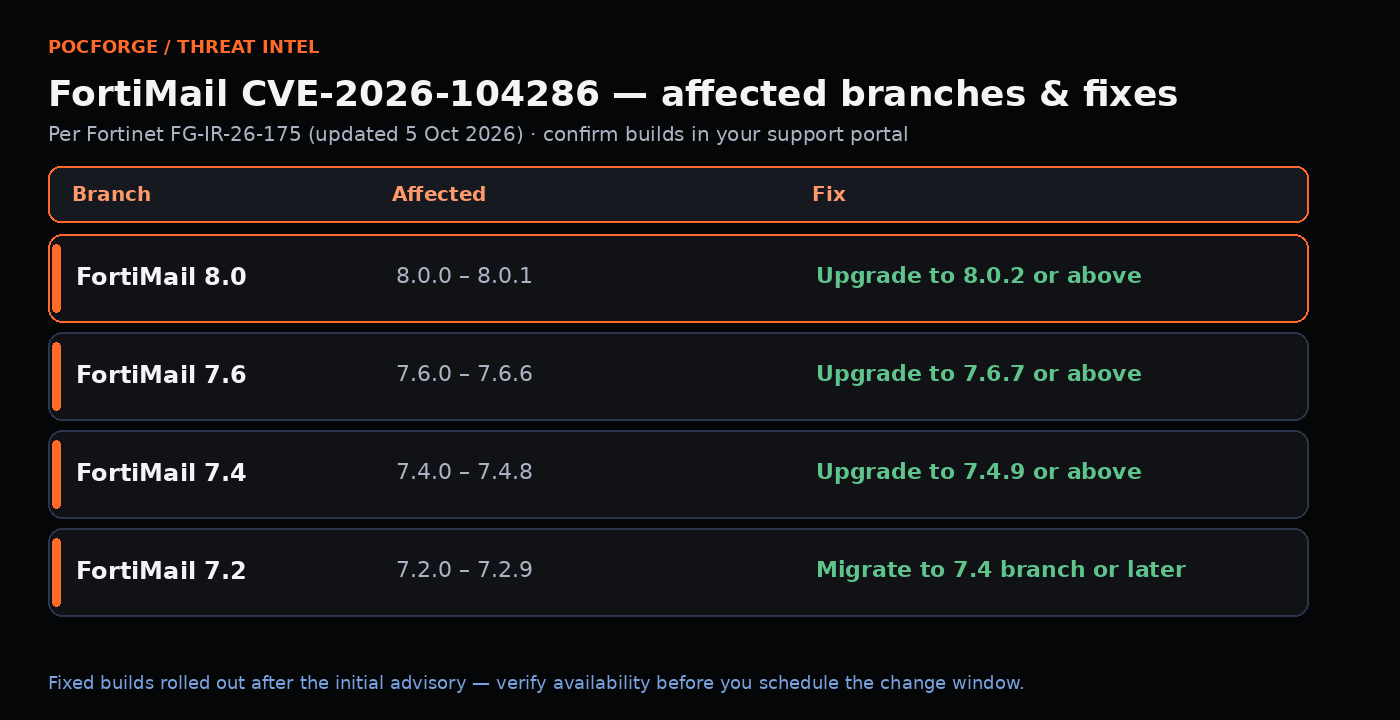
Per Fortinet advisory FG-IR-26-175 (updated October 5, 2026):
| Branch | Affected | Fix |
|---|---|---|
| FortiMail 8.0 | 8.0.0 through 8.0.1 | Upgrade to 8.0.2 or above |
| FortiMail 7.6 | 7.6.0 through 7.6.6 | Upgrade to 7.6.7 or above |
| FortiMail 7.4 | 7.4.0 through 7.4.8 | Upgrade to 7.4.9 or above |
| FortiMail 7.2 | 7.2.0 through 7.2.9 | Migrate to the 7.4 branch or later |
Fixed builds rolled out after the initial advisory, so confirm the release you need is actually available in your support portal before you plan around it.
Mitigate now if you can’t upgrade today
Fortinet’s interim options, in order of preference:
- Turn off IBE support (Encryption, then IBE, then set IBE Service to off), or use the CLI command in Fortinet’s advisory.
- Remove internet access to the FortiMail webmail interface, or limit it to trusted private networks.
- If a web application firewall fronts FortiMail, apply the filtering rule Fortinet lists in the advisory.
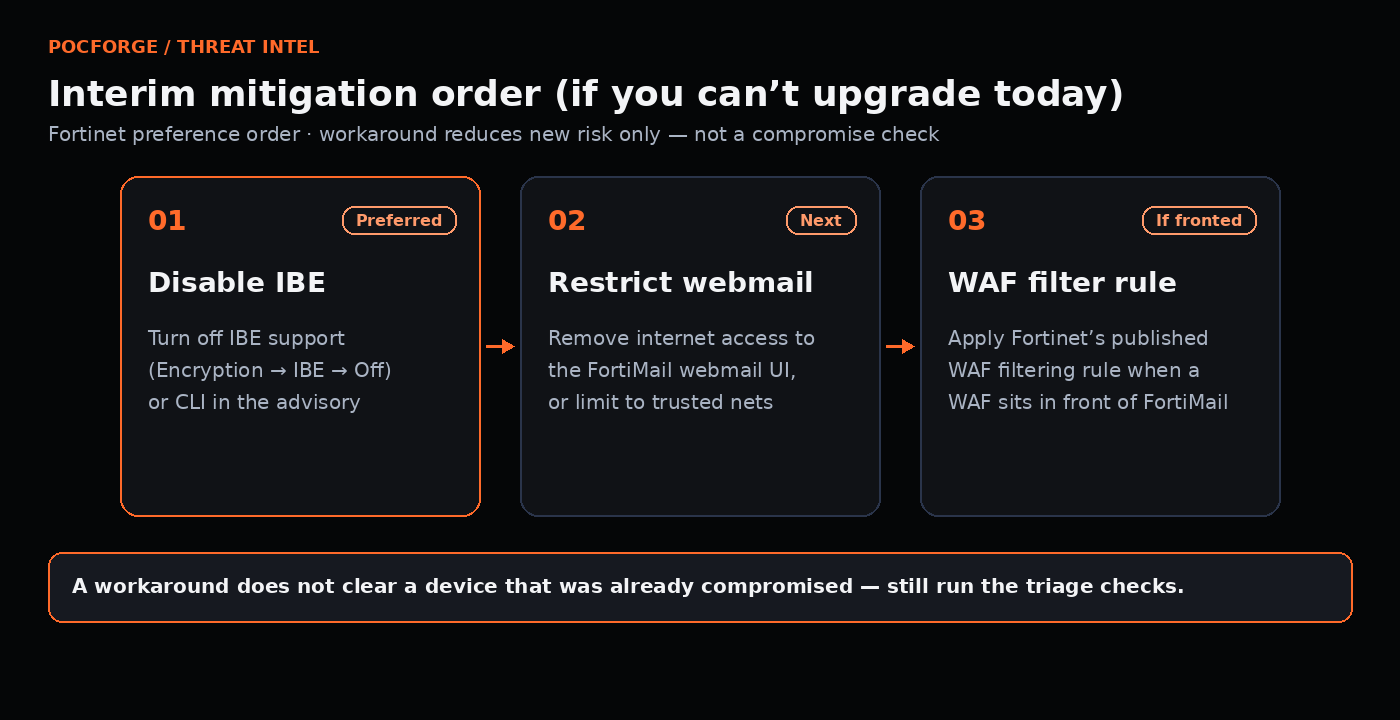
A workaround reduces new risk. It does nothing about a device that was already compromised, which is why the next section matters more.
Check for compromise before you call it done
CISA’s forensic-triage requirement is the right instinct for everyone, not just federal agencies. Fortinet published these indicators:
Files added or modified (SHA-256):
| File | Status | SHA-256 |
|---|---|---|
/data/lib/liblog.so |
Added | 8015f34dc84922b03688399d7f9fe7a00361789f7e420c7e2a2cdb23e75cef84 |
/bin/smit |
Modified | 77324ac428bde86d351fc5fc06f6d64a6bfe737dfb2743df1d4c5ac2418a5b6a |
/data/bin/webconsole |
Added | 7a6cea9f5c9e2e9994d4e3c4da73f86cf5acd05ea5d312c066c9d1dafd69ee38 |
/data/bin/mailservice |
Added | 4000276a150a165d3c2537d1e19fb393c4de8333076a16655e28059cae82157b |
/data/etc/httpd.conf |
Modified | 703e97c64e61e41dc3aaba580d82bb2aa7b6a11b54ee6fb467ed5d5a3bffdef5 |
/data/etc/ld.so.preload |
Added | 8953ec7960b09f544a880b072ad4e6cfda7a8303f486251d3478dcfdfbac23b6 |
/data/migadmin.tar.gz |
Modified | d6fe51c22b91776f4c961ea58bcac5917f15d560a619d7ce726d3d51795609d3 |
Network indicators: 79[.]141.169.187 and 45[.]129.0.192.
Log patterns to look for:
- A cron event running a command that references
/migadmin. - An admin logout event from a null interface.
- A new archive account named
archive234added from the CLI with79.141.169.187as its remote destination. - IBE decryption errors about invalid Base64 encoding, alongside failed logins for wildcard internal users.
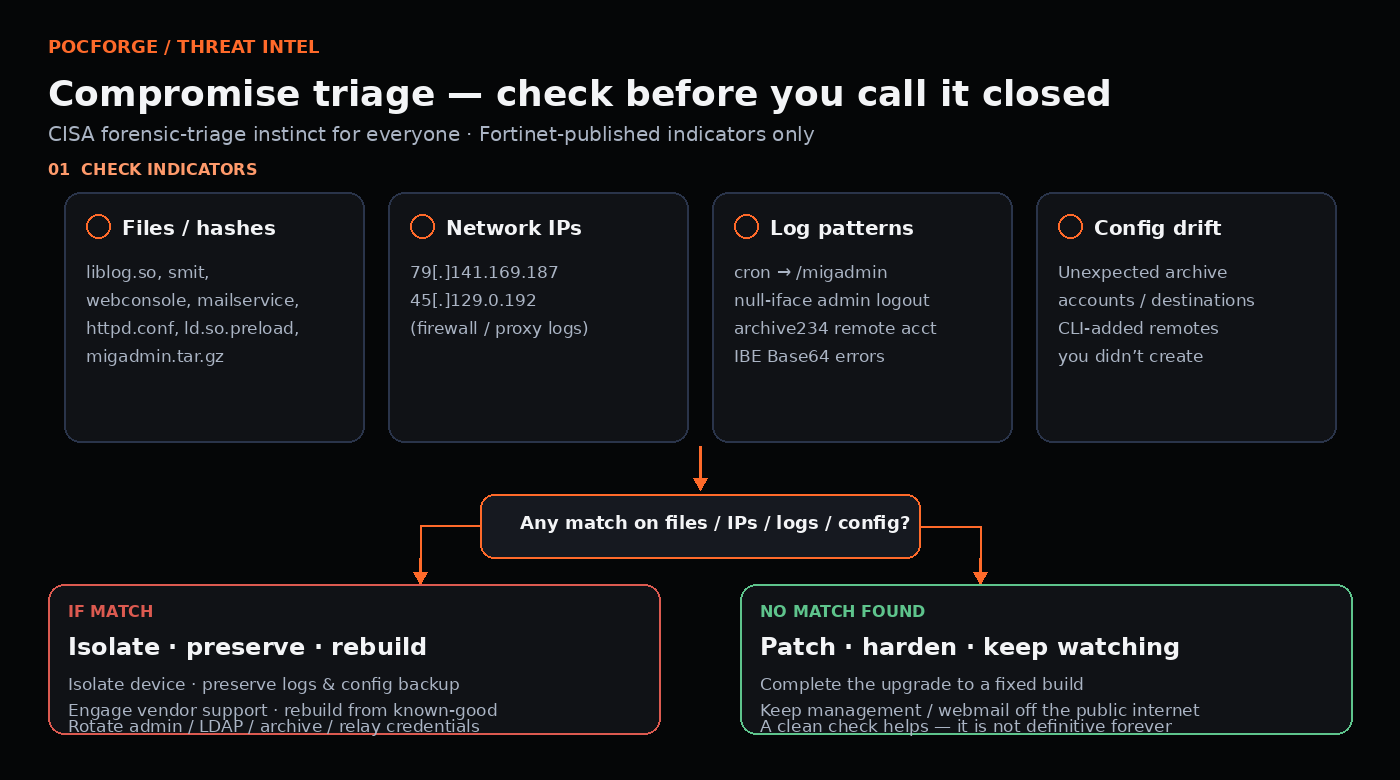
Practical steps:
- Pull system event and encryption logs and search them for the patterns above, going back well before October 1.
- Review archive accounts and remote destinations, and remove anything you didn’t create.
- Check firewall and proxy logs for traffic to or from the two listed IPs.
- If anything matches, treat the device as compromised: isolate it, preserve logs and a configuration backup for investigation, engage Fortinet support, and rebuild from a known-good image rather than simply upgrading in place.
- Rotate credentials stored on or used by the appliance, including admin accounts, LDAP binds, and any archive or relay credentials.
The takeaway
This is the second edge-device emergency in as many weeks for many teams, after Citrix NetScaler (see our NetScaler defender checklist). The pattern is consistent: internet-facing management and service interfaces are the first thing attackers go after, and patching alone doesn’t tell you whether you were already hit. Keep management interfaces off the internet, know which optional features (like IBE) are actually in use, and build a habit of checking for indicators every time a KEV entry carries a forensic-triage flag.
If you want an outside check of what your mail gateways, VPNs and other edge services expose, our external infrastructure penetration testing covers internet-facing hosts, management interfaces and remote access; for teams in India see external infrastructure pentesting in India. Where a device may already have been compromised, an assumed-breach network and Active Directory test shows how far an attacker could move from it. Request a free scope review.