
For defenders, the message is urgent but straightforward: treat internet-facing NetScalers as high priority, check for compromise before you rush the upgrade when you can, then remediate and re-validate. A patched appliance is not automatically a clean appliance.
What was disclosed
According to Citrix’s bulletin:
| CVE | Summary (vendor wording) | Precondition | CVSS v4.0 |
|---|---|---|---|
| CVE-2026-88771 | Improper input validation enabling unauthenticated remote code execution | All NetScaler ADC and Gateway deployments (default configuration; no extra feature required) | 9.5 |
| CVE-2026-88772 | Memory overflow leading to remote code execution or denial of service | DTLS enabled (enabled by default on VPN virtual servers) | 9.5 |
Risk severity at a glance
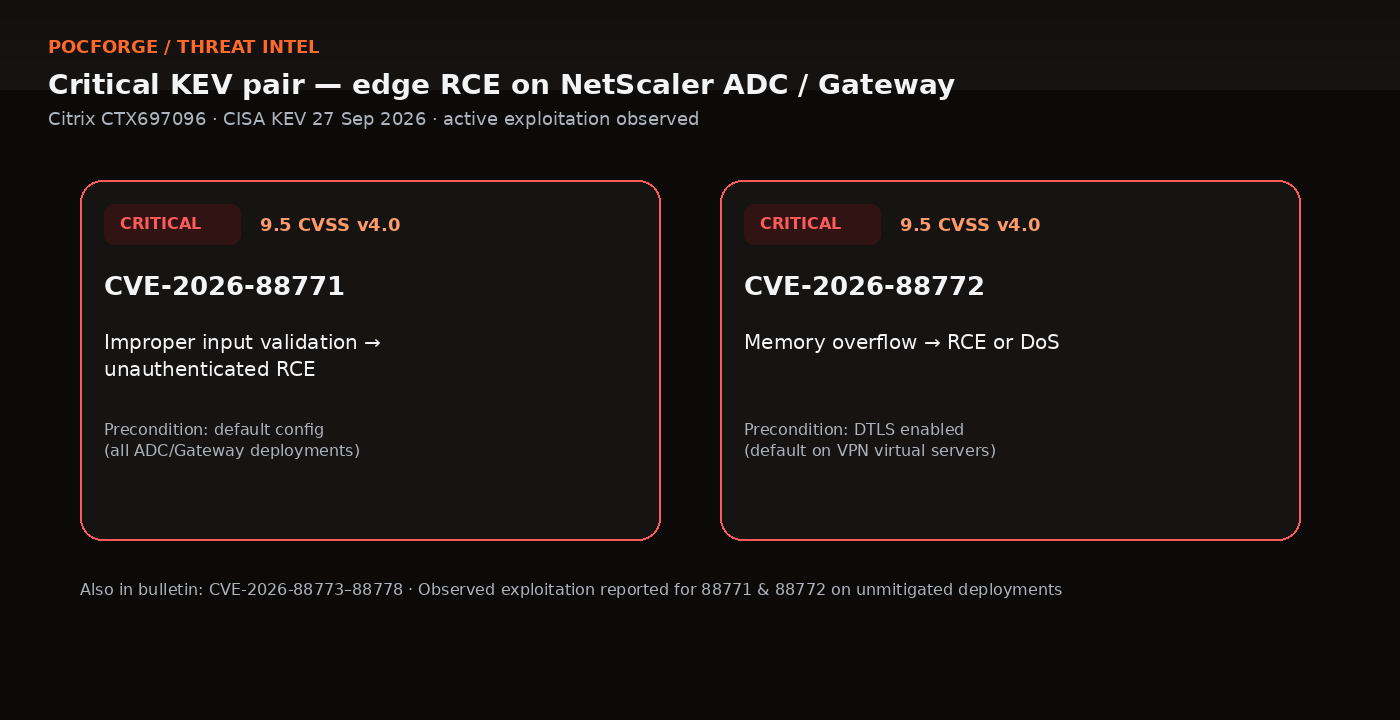
CVE-2026-88771 — Critical / 9.5 · Unauthenticated RCE on default ADC/Gateway configurations.
CVE-2026-88772 — Critical / 9.5 · RCE or DoS where DTLS is enabled (default on VPN virtual servers).
Same bulletin also covers CVE-2026-88773 through CVE-2026-88778. Citrix has reported observed exploitation specifically for CVE-2026-88771 and CVE-2026-88772 on unmitigated deployments.
CISA states both KEV-listed flaws can independently enable remote code execution and that partner intelligence confirms threat actors are exploiting them globally.
Why this matters operationally
NetScaler ADC and Gateway often sit on the network edge for VPN, remote access, load balancing, and authentication. Compromise at that boundary can expose certificates, credentials, session material, and trusted paths into identity and management systems.
Independent analysts reached similar conclusions. watchTowr noted public warnings of in-the-wild exploitation on 26 September 2026, ahead of the CVE publication, and stressed that Citrix has not published a workaround—upgrading to a fixed build is the remediation. Sygnia (30 September 2026) emphasises that patching closes the vulnerability but does not remove webshells, altered configuration, stolen secrets, or other persistence that may already be present.
Affected products and fixed builds
Citrix reports these customer-managed versions as affected, with minimum fixed builds:
| Product branch | Affected | Minimum fixed build |
|---|---|---|
| NetScaler ADC and Gateway 14.1 | Before 14.1-73.37 | 14.1-73.37 and later |
| NetScaler ADC and Gateway 13.1 | Before 13.1-64.23 | 13.1-64.23 and later releases of 13.1 |
| NetScaler ADC 14.1-FIPS | Before 14.1-73.37 FIPS | 14.1-73.37 FIPS and later |
| NetScaler ADC 13.1-FIPS / 13.1-NDcPP | Before 13.1-37.279 | 13.1.37.279 and later |
Secure Private Access hybrid deployments using NetScaler instances are affected and must upgrade those instances. Citrix-managed cloud services and Adaptive Authentication are updated by Cloud Software Group.
Deployments impacted by CVE-2026-88778 should also apply the documented TCP configuration change for Enhanced ISN Generation—the software upgrade alone does not close that issue.
Operational tip for 13.1 upgrades: before moving to 13.1-64.23, run show ns variable. If configured variables are returned, prefer 13.1-64.24 (or later) to avoid a known reboot-loop issue. Confirm current guidance in Citrix release notes for your branch.
Patch ≠ clean: preserve evidence first
CISA’s alert is explicit: if possible, check for indications of compromise prior to patching. Citrix has made IoCs available through NetScaler Console. CISA also warns that updates may result in loss of forensic visibility, so organisations that suspect compromise should preserve forensic evidence before applying updates.
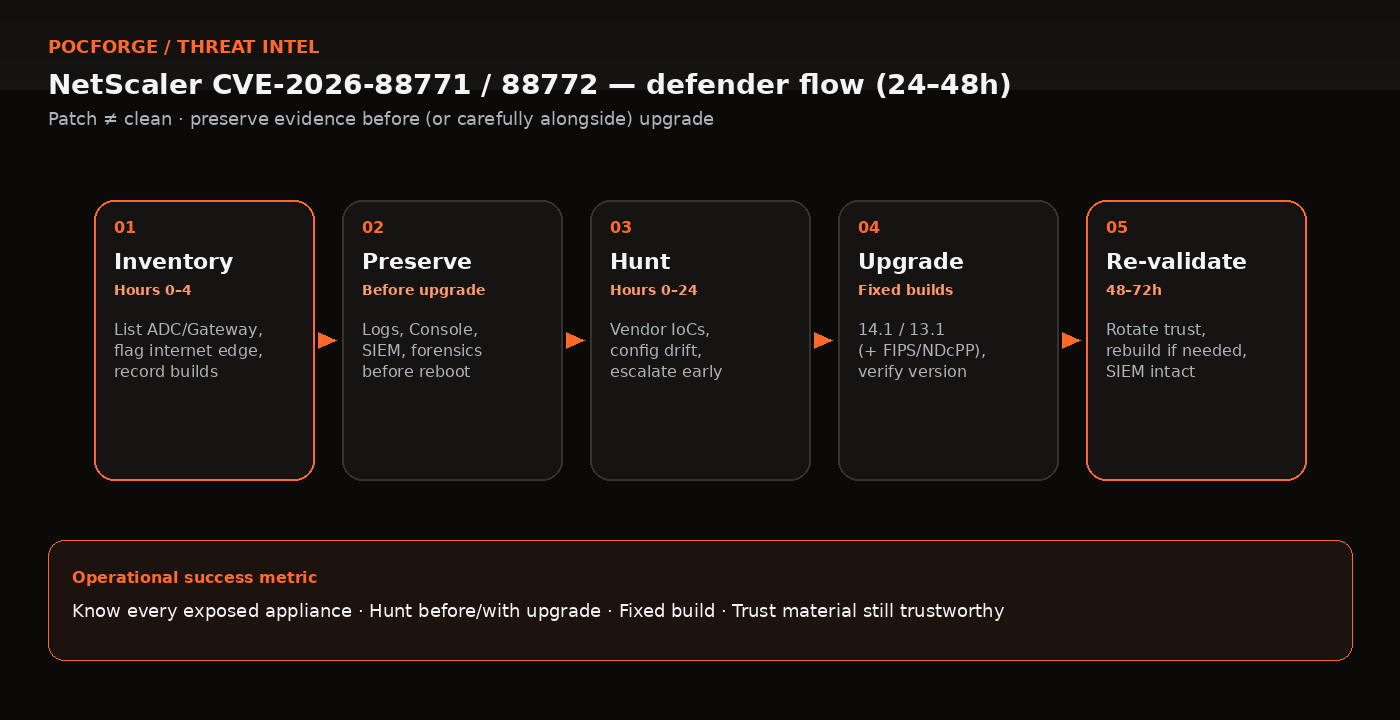
Keyboard: ← → · Respects reduced-motion (no autoplay). Patch ≠ clean.
24–48 hour defender checklist
1. Inventory exposure (hours 0–4)
- List all customer-managed NetScaler ADC and Gateway instances (active, standby, DR, FIPS/NDcPP).
- Flag internet-reachable Gateway, VPN, AAA, and related virtual servers first.
- Record current build numbers against the fixed-build table above.
2. Preserve evidence (before reboot/upgrade when feasible)
- Capture relevant appliance logs, NetScaler Console telemetry, firewall/WAF logs, authentication logs, and external syslog already in your SIEM.
- If compromise is suspected, follow Citrix’s published steps for suspected NetScaler compromise and preserve evidence before destructive remediation.
3. Hunt with vendor IoCs (hours 0–24)
- Run Citrix’s IoC / Security Advisory checks via NetScaler Console where available.
- Treat a clean IoC scan as helpful but not definitive.
- If you find unexplained configuration changes, unexpected outbound connections, unauthorised accounts/sessions, or other high-confidence signs of intrusion, isolate and escalate to incident response.
4. Upgrade to fixed builds
- Install the minimum fixed build (or later) for each branch.
- For CVE-2026-88778, enable Enhanced ISN Generation where required.
- After upgrade, verify the running version and keep management interfaces off the public internet.
5. Re-validate trust (through 48–72 hours)
- Rotate credentials, certificates, tokens, and shared secrets if you cannot exclude pre-patch compromise.
- Review systems the appliance can reach for unusual access.
- Confirm log forwarding and monitoring remain healthy after the upgrade.
- Confirm log forwarding to an external SIEM is intact and alerting if it stops.
- If successful unauthorised access cannot be excluded, plan a rebuild from a clean image and a validated pre-compromise configuration rather than relying on patching alone (consistent with Sygnia’s remediation guidance).
Detection and monitoring priorities (high level)
Without turning this into an exploit walkthrough, defenders should prioritise:
- External log retention for NetScaler management, authentication, and HTTP access logs (so evidence survives appliance upgrades).
- Vendor IoC workflows via NetScaler Console and Citrix Support.
- Configuration integrity on the appliance (unexpected changes to web/management configuration and startup scripts).
- Egress and lateral visibility from NetScaler addresses into identity and management networks.
- Session hygiene if unauthorised remote access is confirmed—terminate sessions and invalidate tokens as part of containment, not only remove suspicious files.
Federal Civilian Executive Branch agencies should also track BOD 26-04 expectations around KEV remediation and checking for pre-patch compromise. CISA encourages all organisations to adopt the same risk-based approach even where BOD does not legally apply.
Playbook prompt (copy for NetOps + IR)
Treat NetScaler KEV response as one playbook: (1) inventory internet-facing ADC/Gateway builds; (2) preserve logs/Console telemetry before upgrade when feasible; (3) run vendor IoC checks; (4) upgrade to fixed builds and verify version; (5) rotate trust material and confirm SIEM forwarding. Escalate early on high-confidence intrusion signs—do not wait for “patch complete” tickets to start compromise assessment.
Bottom line
CVE-2026-88771 and CVE-2026-88772 are not theoretical. They are KEV-listed, actively exploited, and affect default or common NetScaler edge configurations. Your near-term success metric is not “CVE closed in the scanner.” It is:
- Do we know every exposed appliance?
- Did we preserve evidence and hunt before (or carefully alongside) the upgrade?
- Are we on a fixed build?
- Have we rotated trust material and validated that the appliance—and what it can reach—is still trustworthy?
Move deliberately, document decisions, and escalate early if compromise indicators appear. Edge devices forgive neither delay nor a false sense of safety after a successful upgrade.
What to do next
If you run NetScaler ADC or Gateway today: start with the inventory and evidence steps above, then schedule the fixed-build upgrade for every internet-facing instance. Share this checklist with NetOps and IR so patching and compromise assessment stay in the same playbook—not sequential afterthoughts.
For organisations that want an independent look at internet-facing edge devices, identity paths behind VPN/AAA, and whether “patched” still means “trusted,” see PocForge’s external infrastructure penetration testing and network / Active Directory testing services—or VAPT services for a broader scoped assessment. Soft ask only: use them when the checklist raises more questions than your team can close alone.
Related research: identity-before-configuration cloud paths · workload-identity ransomware patterns · external perimeter hardening case study.
FAQ
Is patching NetScaler enough after CVE-2026-88771/88772?
No. CISA and independent responders emphasise checking for compromise and preserving evidence because upgrades can erase forensic visibility. Patching closes the vulnerability; it does not remove webshells, stolen secrets or altered configuration that may already be present.
Which builds fix CVE-2026-88771 and CVE-2026-88772?
Citrix’s minimum fixed builds include NetScaler ADC/Gateway 14.1-73.37 and later, 13.1-64.23 and later (prefer 13.1-64.24+ if variables are configured), plus matching FIPS/NDcPP fixed builds listed in CTX697096. Confirm against the current bulletin for your branch.
Why preserve evidence before the upgrade?
CISA warns that updates may result in loss of forensic visibility. If compromise is possible, capture appliance and SIEM evidence—and follow Citrix’s suspected-compromise guidance—before destructive remediation whenever operationally feasible.
What should we monitor after upgrading?
Prioritise external log retention, vendor IoC workflows, configuration integrity, egress from NetScaler into identity/management networks, and session hygiene if unauthorised access is confirmed. Confirm SIEM forwarding still works after the upgrade.
When should we rebuild rather than only patch?
If successful unauthorised access cannot be excluded, plan a rebuild from a clean image with a validated pre-compromise configuration rather than relying on patching alone—consistent with public remediation guidance from responders such as Sygnia.
Sources
- Critical Zero-Day Vulnerabilities Exploited in Citrix NetScaler ADC, Gateway — CISA, revised 28 September 2026
- CISA Adds Two Known Exploited Vulnerabilities to Catalog — CISA, 27 September 2026
- Citrix NetScaler ADC and Gateway Security Bulletin CTX697096 — Citrix / Cloud Software Group, 27 September 2026
- Citrix NetScaler Zero-Days FAQ: CVE-2026-88771 and CVE-2026-88772 — watchTowr, 27 September 2026
- Actively Exploited NetScaler Vulnerabilities — Sygnia, 30 September 2026
- Citrix NetScaler vulnerabilities (CVE-2026-88771, CVE-2026-88772) in active exploitation — Sophos Counter Threat Unit
PocForge publishes offensive-security research to explain attack paths and defensive controls. This article summarises public advisories only; it is not an exploit guide, is not a claim of CERT-In empanelment, and does not describe a named client engagement.