Parts 1–4 explained architecture, prefs, IPC and local paths. This closing part collapses them into an engagement playbook you can paste into an RFQ or internal runbook. It aligns with the privilege-boundary language on the service page and the methodology hub at /research/electron-security-deep-dive/.
Keyboard: ← → · Respects reduced-motion (no autoplay).
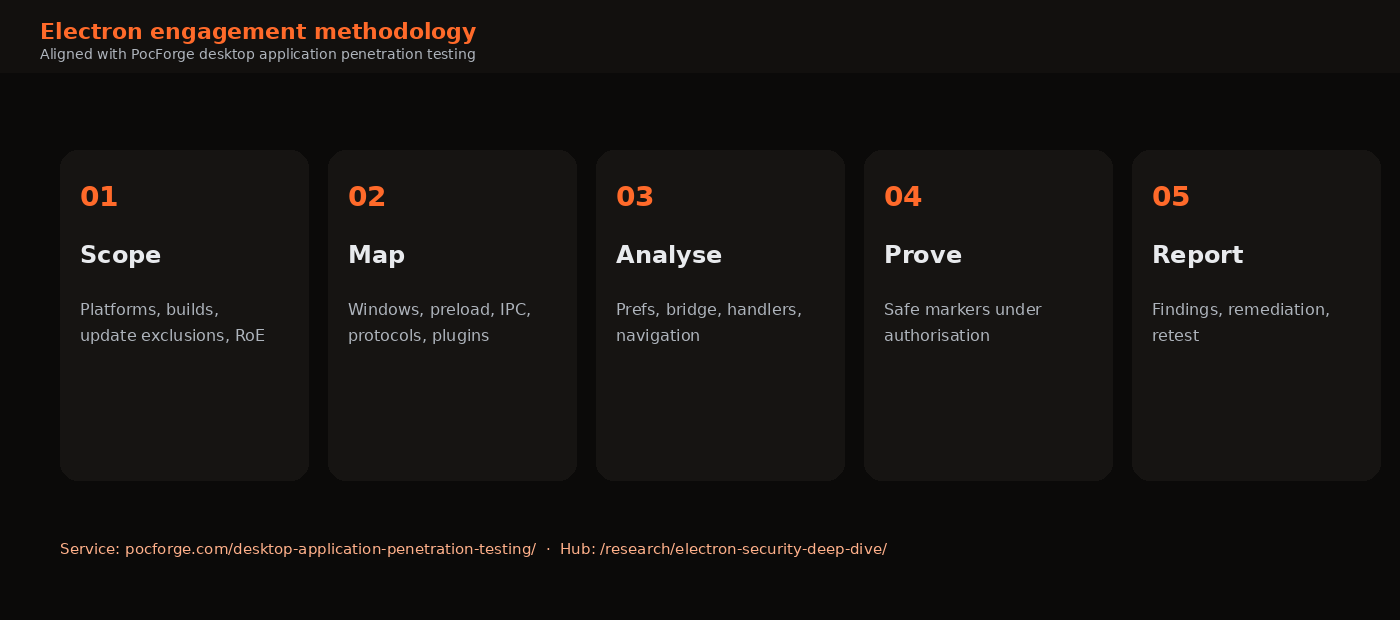
1. Engagement lifecycle
| Phase | Activities | Exit criteria |
|---|---|---|
| 01 Scope | Platforms (Win/macOS/Linux), channels, accounts, out-of-scope updates, data handling | Signed RoE |
| 02 Map | ASAR extract, privilege map, dependency inventory | Living surface diagram |
| 03 Analyse | Prefs, preload, IPC, navigation, protocols, storage | Prioritised hypotheses |
| 04 Prove | Authorised exploitation with safe markers | Evidence pack |
| 05 Report | Findings, fix guidance, retest | Closure status |
2. Technical checklist (condensed)
Renderer isolation
- □ Every BrowserWindow/View/webview prefs recorded
- □
nodeIntegrationfalse;contextIsolationtrue;sandboxtrue;webSecuritytrue - □ No production DevTools / remote debugging
- □ CSP present and restrictive
Preload & IPC
- □
exposeInMainWorldsurface minimal; no rawipcRendererleak - □ Each
ipcMainhandler validates sender + schema - □ No unconstrained fs/exec/fetch from renderer input
Navigation & OS hand-off
- □
will-navigatelimited;setWindowOpenHandlerdeny-by-default - □
openExternalallowlisted - □ Custom protocols canonicalised; no
file:passthrough
Local & update
- □ ASAR reviewed for secrets and anti-patterns
- □ Update transport authenticated/signed; staging not world-writable
- □ Sensitive data in OS secure storage where feasible
- □ Electron/Chromium version freshness noted
3. Verify skills on the lab
Before client work, run the PocForge Electron lab through all three modes and produce a one-page internal note: prefs table, bridge methods, IPC handlers, and two safe proofs (marker file + allowlisted whoami). That rehearsal mirrors the evidence standard used on paid engagements without touching customer binaries.
npm run start:secure && npm run start:node && npm run start:bridge
# Document contrasts; keep artefacts under OS temp only
4. Reporting expectations
Good Electron findings narrate the path: sink → bridge/IPC → privileged API → impact. Severity should reflect reachable desktop impact under the product’s threat model (local attacker, malicious document, compromised web content, malicious deep link, and so on). Remediation should name concrete pref changes, bridge reductions and handler validation—not only “update Electron.”
Commercial packaging on PocForge typically includes an executive summary, technical findings, privilege-boundary notes and retest confirmation, with indicative investment bands published on the service and cost pages (always confirm a scoped quote).
Where this series fits
Service: Desktop application penetration testing (Electron & thick clients).
Methodology hub: Electron security deep dive.
Series: Parts 1–4 and 6 for deep technical reading; Part 5 as the engagement spine.
5. Severity and remediation language
Map severities to desktop impact:
- Critical — unauthenticated or low-interaction path from untrusted content to arbitrary code or widespread file write as the user.
- High — XSS or IPC flaw reaching powerful bridge methods; weak update verification on user-writable installs.
- Medium — info disclosure of tokens/logs; DevTools in production enabling faster chaining; partial path checks.
- Low / informational — missing hardening that lacks a demonstrated path today but violates baseline policy.
Remediation tickets should name the layer: pref change, preload reduction, handler schema, protocol allowlist, fuse flip, or packaging change. “Update Electron” alone is incomplete if the app re-enables Node in the renderer after upgrading.
6. Buyer guidance for RFQs
When requesting desktop/Electron testing, ask vendors to confirm:
- They will deliver a privilege map, not only scanner output.
- IPC/preload review is in scope.
- Safe proofs are preferred over destructive demos.
- Retest is included or priced.
- Platform coverage matches your shipping OS list.
PocForge’s public desktop page states typical investment bands for common scopes and emphasises evidence-backed impact. Use those pages alongside this checklist when comparing proposals.
7. Internal training loop
Security and product engineering can share the lab:
- Engineers run
securevsbridgeAbusemodes during onboarding. - AppSec converts Part 5’s checklist into a PR review template.
- Red team uses Parts 2–4 as rehearsal before customer work.
That loop keeps the research series operational rather than ornamental. When Electron defaults change again—as they have across majors—update the checklist against the official tutorial and re-run the lab on the new Electron major before teaching from memory.
Series spine: architecture → misconfigurations → IPC → local/update paths → engagement checklist → IPC fuzzing (Part 6). Keep the deep-dive hub bookmarked for the condensed privilege-boundary framing, and engage the desktop service when you need a scoped assessment with retest.
8. Deliverables map
Align artefacts with stakeholder needs:
| Audience | Artefact | Contents |
|---|---|---|
| Leadership | Executive summary | Business impact, top paths, fix priority |
| Engineering | Technical findings | Prefs/IPC excerpts, proofs, patches |
| AppSec | Privilege map | Windows, bridges, channels, protocols |
| All | Retest letter | Closed / residual risk after fixes |
Optional appendices: full prefs matrix, IPC inventory CSV, ASAR secret greps (redacted), and lab reproduction notes if the customer wants developer training material derived from the same methodology.
If you are building an internal programme rather than hiring out, schedule a quarterly Electron review whenever you bump major Electron versions or add a new preload surface. Major upgrades change defaults and remove footguns—but they also reshuffle APIs, which is when regressions sneak in.
That is the end state this series aims for: teams who can explain their renderer-to-Node boundaries in one diagram, verify them with a checklist, and test them with safe proofs—whether through PocForge or their own AppSec function.
9. Next steps after reading
- Clone or copy
electron-lab/and complete the three-mode exercise. - Skim the official Electron security tutorial for the version you ship.
- Apply Part 5’s checklist to one internal desktop app as a tabletop.
- If you need an external assessment, scope desktop boundaries via the PocForge service page and reference this series plus the deep-dive hub in the RFQ.
Research stays valuable only when it changes how builds ship. Prefer one merged preload reduction over ten unread articles.
10. Add systematic IPC testing (Part 6)
Before client work, extend the lab rehearsal with Part 6’s constrained fuzz planner:
cd electron-lab
node fuzz/run-lab-fuzz.js --dry-run
node fuzz/run-lab-fuzz.js --apply-markers
Fold into the checklist:
- □ Preload/IPC inventory exported (CSV or spreadsheet)
- □ Sink classification (command / path / URL / other)
- □ Wordlist-driven probes on lab or authorised builds only
- □ Fail-closed cases documented (rejected commands, clamped paths)
- □ No blind fuzzing of production mains without explicit RoE
Series navigation now includes Part 6 · IPC fuzzing. Use it when engagements need repeatable coverage of bridge surfaces beyond two or three manual IPC calls.
Update internal runbooks so “Electron desktop test” always means Parts 1–6 together: threat model, prefs, bridge, local/update, engagement spine, and systematic IPC testing.
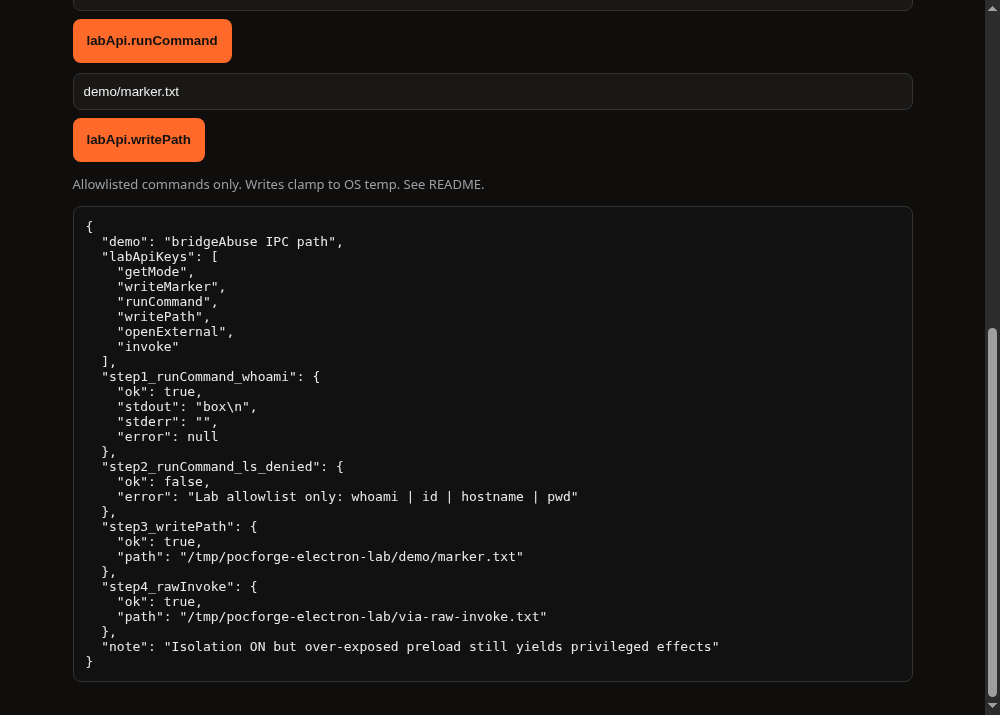
11. Evidence photos from the lab (copy this style)
Engagement screenshots should look like the series lab demos: mode banner visible, privileged effect in a JSON or console panel, and a one-line caption stating find vs exploit. Avoid unrelated desktop clutter in customer reports. Prefer window captures over full-desktop grabs when the workstation shows unrelated admin sessions.
Minimum set for an Electron rehearsal pack:
- Prefs or mode banner (find)
- Bridge key list or require proof (find)
- Command/path success (exploit)
- Deny / secure contrast (control)
12. Series map for delivery teams
- Part 1 — threat model & privilege map
- Part 2 — prefs / XSS→RCE misconfigs (+ lab nodeIntegration demo)
- Part 3 — preload/IPC abuse (+ lab bridgeAbuse demo)
- Part 4 — ASAR, updates, protocols, local data
- Part 5 — engagement checklist & deliverables
- Part 6 — systematic IPC fuzzing & wordlists
Ship internal training as a half-day: morning on Parts 1–3 with live lab screenshots; afternoon on Parts 4–6 with ASAR extract and the fuzz dry-run.
FAQ
How is this different from a web app test?
You still test web sinks, but you must follow data into preload/IPC/main and prove desktop impact. Dependency CVE lists alone are insufficient.
Will testing break the desktop app for users?
Engagements use agreed builds and controlled proofs. Potentially disruptive update or integrity tests stay on disposable environments unless RoE says otherwise.
Can this combine with API or mobile testing?
Yes—many products share backends. Scope desktop boundaries explicitly so they are not lost inside a web-only quote.
Sources (public)
- Electron — Security tutorial (full checklist)
- Cobalt, DeepStrike, HackTricks — Electron testing methodologies (cited throughout the series)
- PocForge — Desktop VAPT service · Electron deep dive · this six-part series
PocForge publishes offensive-security research to explain attack paths and defensive controls. This article is not a claim of CERT-In empanelment and does not describe a named client engagement. Typical commercial ranges mentioned elsewhere on the site are indicative only.