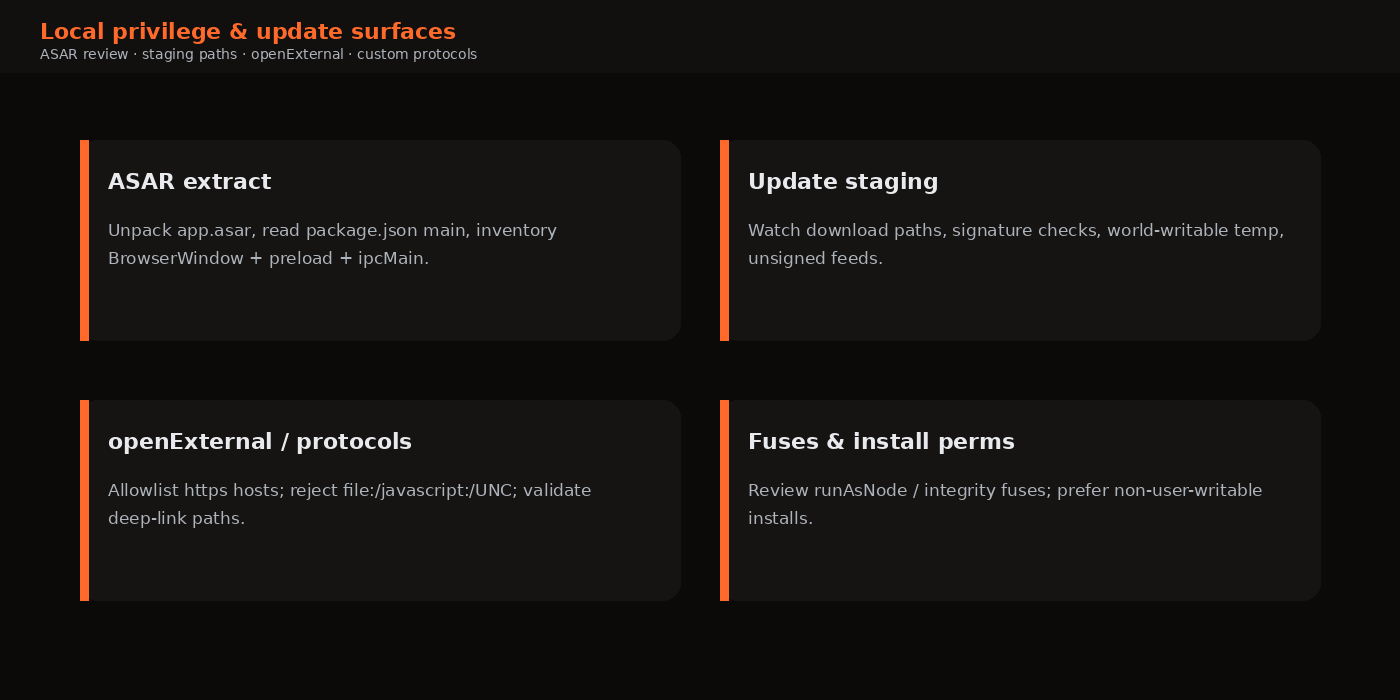
openExternal, and local privilege considerations—including why integrity features matter.Many Electron findings never need a clever XSS. An extracted app.asar reveals secrets; a world-writable update directory invites binary replacement; a deep-link handler joins parent-directory segments into sensitive paths. This part covers those local and supply-adjacent paths at a methodology level suitable for authorised engagements.
Keyboard: ← → · Respects reduced-motion (no autoplay).
1. ASAR as the first static step
Electron packages application code in app.asar—an archive, not encryption. Testers routinely extract it:
npx asar extract app.asar ./extracted
# then read package.json "main" and grep for webPreferences / ipcMain / preload
DeepStrike’s Simplenote walkthrough and HackTricks’ intro both start here for good reason: you get the same maps Part 1 asked for without waiting on source access. Hunt for plaintext tokens, dangerous prefs, eval, and update URLs. Run npm audit when a lockfile can be reconstructed—prioritise runtime dependencies.
2. Auto-update and staging paths
Auto-updaters download artefacts, verify them (hopefully), stage them, and replace the app. Weaknesses include HTTP feeds, missing signature verification, predictable names in world-writable temp directories, and running update helpers with elevated rights. Cobalt’s discussion of CLI logs and temp update zips is a practical recon tip: launch the app from a terminal, capture paths, then inspect permissions—without modifying production updates unless explicitly authorised.
Engagement evidence: updater configuration snippets, log lines showing download URLs, ls -ld / ACL output on staging directories, and notes on code-signing expectations per platform.
3. openExternal, protocols and file handlers
Official guidance: do not pass untrusted content to shell.openExternal. Allowlist https: and known hosts; reject javascript:, file:, data: and unexpected schemes. Custom protocol handlers (myapp://) must normalise paths, reject parent-directory path segments, and never map untrusted input onto arbitrary file: reads. DeepStrike and HackTricks catalogue traversal and scheme-abuse examples suitable as test cases in a lab.
// Teaching allowlist helper
function safeOpenExternal(raw) {
  const u = new URL(raw);
  if (u.protocol !== 'https:' || u.hostname !== 'help.example.com') return false;
  return shell.openExternal(u.href);
}
4. Local data exposure and persistence technique-class risks (high level)
Desktop apps usually share the interactive user’s privilege boundary. Tokens in plaintext JSON under the profile directory, unauthenticated local HTTP helpers, and writable install trees enable co-resident abuse. Public research on ASAR integrity gaps and related public research on local code persistence (including discussions around Electron fuses and related CVEs in the public literature) shows why install permissions and integrity features matter—but those topics should be handled carefully in reports: cite vendor advisories for the exact versions in scope, and keep proofs non-destructive.
Fuses such as disabling ELECTRON_RUN_AS_NODE-style behaviours and enabling ASAR integrity are part of Electron’s hardening story; testers should record which fuses a build enables without turning the report into a public exploit recipe.
5. Platform notes
- Windows — library search-order / side-loading near the executable; quoting in auto-start entries.
- macOS — Hardened Runtime, entitlements, library insert behaviours when hardening is absent (discussed in Cobalt Part 1 at a high level).
- Linux — Packaging (deb/AppImage/Flatpak) changes writability and portal behaviour.
6. Secrets and local storage review
After ASAR analysis, inspect the live profile directory created at runtime: IndexedDB, Local Storage, SQLite, log files, crash dumps and configuration JSON. Ask whether session tokens are recoverable by any co-resident process. Prefer OS keystores (safeStorage, Keychain, DPAPI, libsecret) for refresh tokens. Scrub logs. Clear secrets on logout. These issues often outrank exotic RCE chains in real enterprise risk conversations because they are reliable and quiet.
7. Integrity features without the exploit cookbook
Electron fuses and ASAR integrity options exist to make silent patching of application code harder. During an engagement, record:
- Whether the build enables integrity-related fuses.
- Whether the install directory is writable by the low-privilege user.
- Whether V8 snapshot or helper binaries sit beside writable trees.
Discuss impact as “local attacker with write access to the install tree can persist code in the application context,” and cite vendor advisories for any specific CVE that applies to the tested version. Do not paste weaponised snapshot recipes into customer-facing blogs or reports destined for wide redistribution.
8. Network interception notes
Many Electron apps honour --proxy-server or system proxy settings; some pin certificates. For authorised testing, document how traffic was intercepted (system proxy, CLI flag, or temporary lab build with pinning disabled). Once traffic is visible, classic web/API issues—IDOR, auth gaps, websocket origin problems—apply. Desktop scope should therefore budget time for both local trust boundaries and backend API review when the same product owns both.
Combine update-channel TLS inspection with the staging-directory permission checks from section 2: a signed HTTPS feed still fails closed if a local user can replace the artefact after download and before verification—or if verification never runs.
9. Suggested static-to-dynamic workflow
A reliable Part 4 workflow on an authorised build:
- Extract ASAR; inventory secrets and update URLs.
- Launch via CLI; capture logs to a file; grep for temp and update strings.
- Monitor the staging directory with platform tools (
inotifywait, Procmon, Console) while triggering an update check in a lab network. - Review protocol registration code paths with deep-link test cases on a VM snapshot.
- Attempt
openExternalwith clearly non-destructive https URLs you control; confirm allowlisting blocks others. - Record install-directory ACLs and fuse-related configuration if present.
Stop before modifying production update infrastructure. If the customer wants a full update-abuse demonstration, schedule it on an isolated network with a fake update server they operate. Your report can still rate the design based on missing signature checks even when a live abuse was out of scope.
Tie findings back to user impact: stolen chat databases, replaced application code at next launch, or credential-material leakage via unexpected UNC resource loads on Windows—whatever the evidence supports. Speculation without a path belongs in “hardening advice,” not in critical findings.
10. Lab tie-in: openExternal and path clamps
The series lab is intentionally light on update simulation, but it still teaches local-path discipline:
lab:write-pathjoins renderer-supplied relative paths under a temp root, then applies an incomplete traversal check with a hard clamp to the OS temp tree—useful for discussing “almost correct” validation.lab:open-externalrefuses non-http(s) schemes so demos stay non-destructive while showing why scheme allowlists belong in main.
// LAB ONLY — discuss validation gaps (bridgeAbuse)
await window.labApi.writePath('nested/ok.txt', 'safe-ish')
await window.labApi.writePath('nested/odd-name.txt', 'clamp-check')
await window.labApi.openExternal('https://example.com')
// Non-https schemes should be refused by the lab handler — confirm in UI JSON
When you graduate to customer binaries, replace these calls with the product’s real protocol and updater surfaces—but keep the same evidence style: input, handler excerpt, OS-visible effect, and a clear statement of what was not attempted (production update-channel abuse, host-wide impact outside RoE).
For ASAR practice without a packaged build, treat the lab folder itself as the “extracted app”: open package.json, follow main, and complete the Part 1 inventory greps. That habit transfers directly to npx asar extract on real artefacts.
11. Spotting vulnerable prefs in ASAR before runtime
Before launching anything, skimming extracted main-process code often reveals the Part 2 misconfigurations that Part 6 will later fuzz through:
// Patterns to flag during ASAR review (teaching examples)
nodeIntegration: true
contextIsolation: false
sandbox: false
webSecurity: false
webviewTag: true
enableRemoteModule: true
Record the window title or route each prefs block applies to. Runtime screenshots from the lab (secure vs nodeIntegration vs bridgeAbuse) then become the dynamic confirmation of what static review predicted. That static→dynamic loop is what buyers mean by “evidence-backed desktop testing.”
12. Using lab modes while teaching local paths
Even without a full updater simulation, run bridgeAbuse and exercise openExternal refusals alongside writePath clamps. Screenshot the JSON errors next to the handler excerpts from main.js. Trainees learn that “we check schemes” and “we join paths carefully” are different controls—and that incomplete versions of either still appear in production code review.
When the customer later provides update logs, reuse the same caption style: input, control that should have fired, observed behaviour, residual risk if the test stopped short of abuse.
FAQ
Is ASAR extraction “breaking” the app?
For authorised testing of a client-supplied build it is standard static analysis. Do not redistribute extracted proprietary source.
Can we replace update binaries to prove impact?
Only with explicit written authorisation, ideally on disposable VMs, and with integrity checks documented rather than bypassed in production estates.
Sources (public)
- Electron — Security (openExternal, custom protocols, fuses)
- Cobalt — Electron misconfigurations Part 1 (CLI logs / local angles)
- DeepStrike — Update, protocol and ASAR sections
- HackTricks — Electron Desktop Apps (ASAR, protocols, local persistence technique notes with references)
High-level methodology only; no exploit chains for third-party production software. Not a CERT-In empanelment claim.