
Microsoft 365 security assessment
A human-led review of your Microsoft 365 tenant: identity and authentication, email and collaboration, file sharing, devices, data protection, app permissions and whether you would see a misuse of those controls. The scope adapts to whichever licences you hold.
- Read-only review
- Attack paths, not just a benchmark
- Retest included
-
Read-only accessA read-only role you create
-
Sized to scopeDates agreed after the scope call
-
Retest includedWithin 6 months, up to 10 issues
-
Walkthrough callEvidence, steps and fixes
Who this is for
A good fit
- Organisations whose staff live in Microsoft 365 for mail, files, chat and identity.
- Useful before a tenant consolidation, after enabling external sharing, when rolling out stronger authentication, or when a customer asks for evidence that the tenant was tested.
What we test
Identity and authentication
Sign-in policies and multi-factor coverage
Details
- Sign-in policies and multi-factor coverage
- Privileged roles and admin separation
- Guest, partner and external identities
- Legacy authentication still enabled
- Password and reset policies that help attackers
Email and collaboration
Mail flow, spoofing and forwarding rules
Details
- Mail flow, spoofing and forwarding rules
- External and anonymous sharing of files and sites
- Meeting and chat access for outsiders
- Transport rules that hide or redirect mail
- Anti-phishing and spoofing controls that are off or weak
Devices and endpoints
Device enrolment and compliance rules
Details
- Device enrolment and compliance rules
- Local admin and unmanaged device risk
- Access policies that ignore device state
Data protection
Retention and deletion settings that leave sensitive data exposed
Details
- Retention and deletion settings that leave sensitive data exposed
- Information labelling and loss-prevention coverage
- External sharing of regulated data
- Audit coverage for file and mailbox access
Apps and automation
Third-party app consent and high-privilege permissions
Details
- Third-party app consent and high-privilege permissions
- Automation and connector permissions
- Service principals with standing admin rights
- OAuth consent phishing paths
Monitoring and response
Audit logging coverage and retention
Details
- Audit logging coverage and retention
- Alerting on high-risk sign-ins and consent grants
- Whether simulated misuse would be noticed
About this scope
We review the services and security features your tenant actually has, and note where a control is not available to you. No specific licence tier is required. Product names for individual Microsoft security tools are left out of the report language so the findings stay useful whoever owns the console.
What you receive
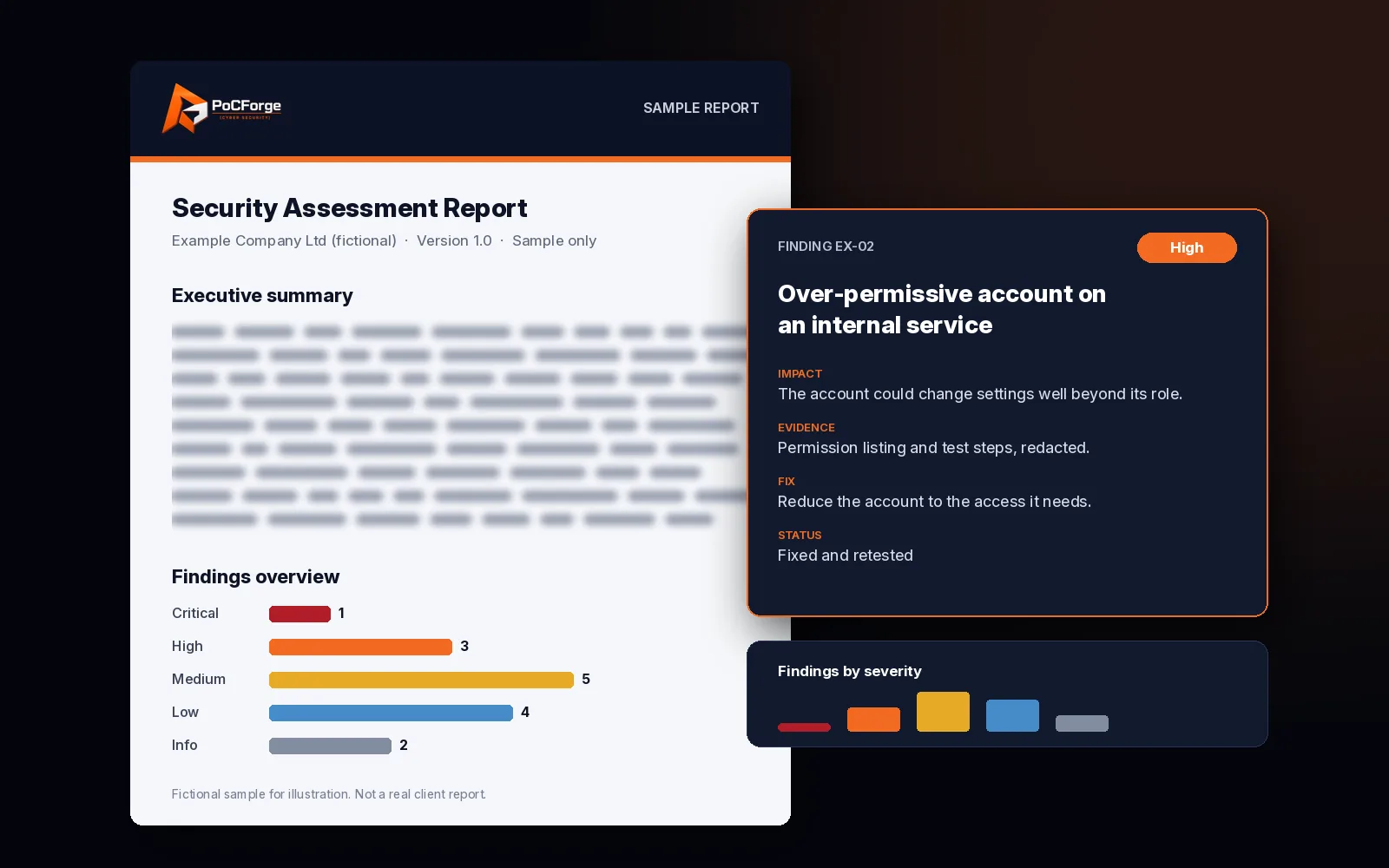
- An executive summary written for non-specialists.
- Technical findings with evidence and remediation steps.
- Severity based on what a realistic identity could reach.
- A walkthrough call.
More about the report
- A retest of in-scope fixes that are ready within 6 months of the original test (up to 10 issues).
Attack paths through the tenant
Read more
A missing multi-factor prompt is a finding. A path from a phished mailbox to a privileged role, an OAuth consent grant and a wide file share is a path. We describe those paths in plain language so identity, messaging and device owners can each see their part of the fix.
If you also run Azure subscriptions under the same directory, consider booking the Azure security assessment or the Microsoft Cloud Readiness Assessment so identity findings are not split across two disconnected reviews.
Common findings (examples)
- Privileged roles held by everyday user accounts, or standing admin without approval.
- External sharing that lets anonymous users reach sensitive libraries.
- Legacy authentication still accepted for mail.
- Third-party apps with organisation-wide mail or files permission granted years ago.
- Audit logging too short to investigate a real incident.
What we need from you
- Tenant domain and a named contact.
- A read-only administrative role, created by you.
- Rough user count and which workloads matter most (mail, files, chat, devices).
- Test accounts if you want a controlled simulation.
Typical timeline
Duration depends on tenant size, how many workloads are in scope and whether a controlled simulation is included. A focused identity and sharing review is often a short engagement; a full tenant with devices, data protection and simulation takes longer. Dates are agreed after the scope call.
Standards and method
The review follows tenant security practices recommended by Microsoft for identity, email, sharing and devices, and the assessment approach in NIST SP 800-115. We describe controls by function — identity, email filtering, device compliance, audit logging — rather than by product marketing names, so the report stays clear whoever owns each console. Licence tier is not a prerequisite; we test what you have and note what you do not.
Scope options
- Identity and access only. Sign-in policies, privileged roles, guests and legacy authentication.
- Identity plus collaboration. Adds email, sharing, meetings and chat external access.
- Full tenant. Identity, collaboration, devices, data protection, apps and monitoring.
- With controlled simulation. Test accounts you create; we check whether misuse is detected.
- Combined with Azure. Book with the Azure security assessment or the Microsoft Cloud Readiness Assessment when subscriptions and the tenant should be reviewed together.
What stays out of scope by default
- Sending phishing to real staff (see social engineering assessment).
- Changing tenant settings (review is read-only).
- Personal Microsoft accounts outside your tenant.
- Third-party SaaS that only uses Microsoft sign-in, unless you add those apps to scope.
Working with shared responsibility
Microsoft runs the platform; you configure the tenant. The report stays on the settings and paths you control — identity policies, sharing, apps, devices and monitoring — and is explicit when a risk sits on a control you cannot turn on with your current licences.
Findings are written so identity owners, messaging owners and device owners can each take a ticket without waiting for a single “tenant admin” to decode the whole report. Where a fix needs a licence you do not hold, we say so instead of pretending the toggle exists.
Evidence and confidentiality
Screenshots and export excerpts stay on encrypted storage and are handled under the engagement agreement. We avoid copying real mailbox content into the report; when a proof needs a message or file, we use a test account or a redacted sample you approve.
Scope and rules
- Scope call. Tenant, services in use, licence constraints and any regions or business units out of scope.
- Read-only access. You grant a least-privilege review role. We confirm it before testing starts.
- Configuration review. Identity, email, sharing, devices, data protection, apps and monitoring.
- Attack-path analysis. Realistic paths such as phishing into a mailbox, consent abuse, token theft and privileged role misuse.
- Optional controlled simulation. From test accounts you create, we check whether misuse is detected — only if you ask for it.
- Report and retest. Findings with evidence, a walkthrough and a retest of fixes ready within 6 months of the original test (up to 10 issues).
Cloud identity attack-path review
Anonymised cloud identity attack-path pattern: role chains, workload identities and data reachability — finding classes only.
Read the case study →- Read-only review
- Attack paths, not just a benchmark
- Retest included
Related
Frequently asked questions
Does it depend on our licence tier?
No. We assess tenants on any licence tier and review what your licences include.
What access do you need?
A read-only administrative role. Any simulation uses test accounts you create and control.
How is this different from the Microsoft Cloud Readiness Assessment?
This page covers the Microsoft 365 tenant only. The readiness assessment combines Azure, Microsoft 365 and a breach assessment.
Will you send real phishing to staff?
Only if you book a social engineering assessment. This page is a configuration and attack-path review.
Do you name specific Microsoft security products in the report?
We describe controls by function (identity, email filtering, device compliance, audit logging) so the findings stay clear whoever owns the console.
Can this cover multiple tenants?
Yes. Each tenant is scoped and reported separately or as one engagement, depending on what you need.
Does the report help with SOC 2 or ISO 27001?
Yes, as evidence that the tenant was reviewed. It does not replace the auditor.
Will testing disrupt users?
The configuration review does not. Any simulation is controlled, non-destructive and agreed in writing.
Ready to scope this?
Tell us what is in scope and what you want to learn. We reply with a suggested approach.
Request a free scope review →