
Social engineering and phishing assessment
Controlled phishing, voice and SMS campaigns that show how people, processes and email controls respond to a realistic attacker. Results focus on process and technical fixes, not on blaming individuals. Physical intrusion on site can be added under a signed authorisation letter, or booked as a dedicated physical penetration test.
- Controlled campaigns
- Metrics without blame
- Debrief included
-
Email, voice and SMSCampaigns agreed in writing
-
Rules of engagementWritten before any campaign
-
Metrics without blameAggregate results by default
-
DebriefFindings and next steps
Who this is for
A good fit
- Organisations that want evidence of how staff and controls handle phishing, voice pretexts and identity traps — before a real attacker tries the same thing.
- Useful when rolling out stronger authentication, training programmes or email filtering, or as the agreed starting point of a red team assessment.
What we test
Email phishing
Credential-harvest and link campaigns
Details
- Credential-harvest and link campaigns
- Attachment handling and macro-style lures
- Look-alike domains and reply-chain style mails
- Reporting rates and time-to-report
- Whether filters and banners changed the outcome
Voice (vishing)
Phone pretexts to help desks and finance
Details
- Phone pretexts to help desks and finance
- Callback and verification procedures
- Supplier and payment-change requests
- Password-reset and MFA-reset social engineering
SMS (smishing)
Text-message lures to credential pages
Details
- Text-message lures to credential pages
- Delivery and click behaviour on mobile
- Overlap with MFA fatigue and prompt bombing
MFA fatigue and pretexting
Repeated push prompts and approval pressure
Details
- Repeated push prompts and approval pressure
- Help-desk reset procedures under time pressure
- Consent and token-phishing scenarios
- Pretexts that use public information about your staff
Awareness and process metrics
Click, submit and report rates in aggregate
Details
- Click, submit and report rates in aggregate
- Time from first lure to first report
- Whether playbooks were followed
- Gaps between training content and what worked in the test
Physical intrusion (optional)
On-site reception and facilities pretexting
Details
- On-site reception and facilities pretexting
- Tailgating into agreed areas under a signed authorisation letter
- Coordination with a physical penetration test or red team
- Not run without the authorisation letter and stop contact
Controls review
Email filtering and warning banners
Details
- Email filtering and warning banners
- Spoofing and look-alike protection
- How reports reach your security team
- Technical follow-up after a successful lure
About this scope
Campaigns, targets and pretexts are agreed in writing beforehand. We do not collect real passwords beyond what is needed to prove a step. Physical intrusion needs a signed authorisation letter and is scoped explicitly — see also the physical penetration testing page.
What you receive
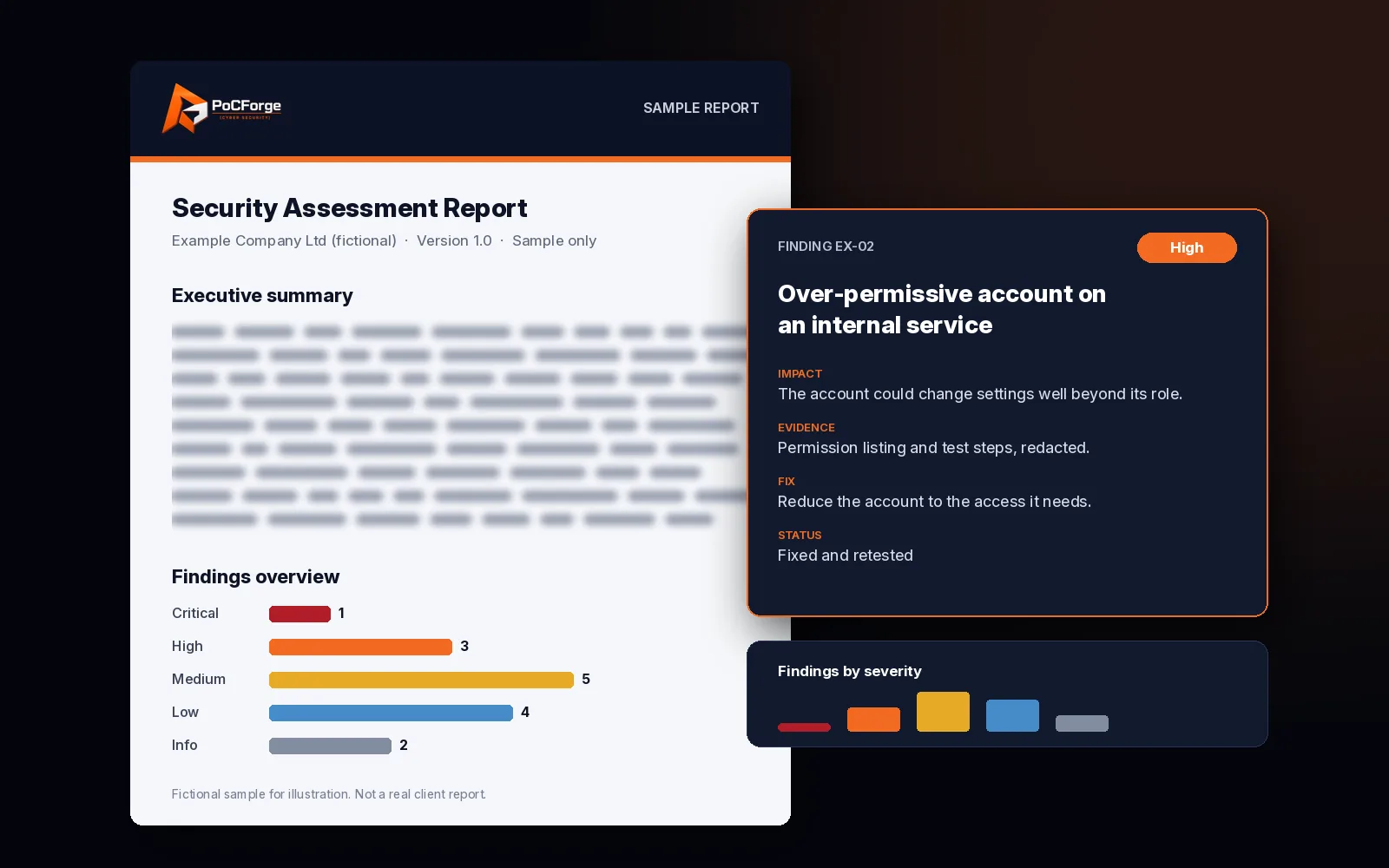
- Campaign results in aggregate (individuals named only if you asked in writing).
- Control and process findings with remediation guidance.
- Suggestions for awareness training based on what actually worked in the test.
- An executive summary.
More about the report
- A debrief call with security and, if you want, people or training owners.
Common findings (examples)
- Filters that miss look-alike domains your staff already trust.
- Help-desk reset procedures that accept weak verification.
- High click rates on reply-chain style mails that training never mentioned.
- Slow or missing reporting paths — people notice, but nobody knows where to send it.
- MFA that is easy to fatigue because every prompt looks the same.
What we need from you
- Approved target lists (or clear rules for who is in scope).
- Written approval of pretexts, templates and landing pages.
- A contact who can stop the campaign quickly.
- Agreement on whether results are aggregate-only or named.
- Optional: current awareness materials so we do not re-test what you already covered last week.
Typical timeline
Duration depends on audience size, number of channels and how many campaign waves you want. A single email wave with a debrief is often a short engagement; email plus voice and SMS across several business units takes longer. Dates are agreed after you approve the templates.
Standards and method
Campaign design follows common phishing and social-engineering assessment practice and the planning discipline in NIST SP 800-115 (rules of engagement, authorised targets, stop conditions). Metrics are reported in aggregate unless you ask otherwise in writing. Physical intrusion (tailgating, badge paths, reception pretexting on site) can be added when authorised in writing, or booked on the physical penetration testing page.
Campaign shapes
- Email only. One or more waves against agreed audiences.
- Email plus vishing. Help-desk and finance phone pretexts after or beside the mail campaign.
- Email plus smishing. SMS lures where your staff use mobile numbers you control for work.
- MFA-focused. Fatigue and pretext scenarios aimed at push-prompt and reset processes.
- Red-team opener. Successful lures hand off to a red team assessment under a joint set of rules.
- Physical on-site. Reception and facilities pretexting or tailgating under a signed authorisation letter — often paired with the physical penetration testing page.
What stays out of scope by default
- Physical work without a signed authorisation letter.
- Targets you did not approve.
- Public shaming or naming individuals in the main report.
- Reusing harvested credentials against production systems (that belongs in a red team, if at all, and must be written into the rules).
Metrics without blame
We report click, submit and report rates in aggregate, plus time from first lure to first report. Training and security owners get clear next steps: which pretext worked, which control failed and what to change in process or filtering. Individuals are not named in the main report unless you asked for that in writing before the campaign started.
If a lure succeeds and you have booked a red team hand-off, harvested proof stays on our side until the joint rules say otherwise — we do not quietly pivot into production.
Working with your people and training owners
Before the campaign we agree how results will be shared inside your organisation. Many clients brief managers that the goal is learning. After the debrief we can supply a short, non-technical note your training owner can reuse — what pretext worked and what staff should watch for — without turning the technical report into a slide pack.
Legal and privacy notes
Target lists should be lawful to use under your employment and privacy rules. We do not buy or scrape personal contact data. Landing pages we host for the campaign collect only what the approved template needs, stored encrypted and deleted on the retention date in the engagement agreement.
Scope and rules
- Scoping. Objectives, audiences, channels (email, voice, SMS), pretexts, exclusions and language.
- Campaign design. You approve templates and landing pages before anything is sent.
- Controlled delivery. Within agreed dates and volumes. Emergency stop available.
- Monitoring. Aggregate results only, unless you asked in writing for individual follow-up.
- Analysis. Control gaps, process gaps and what training should cover next.
- Report and debrief. Findings aimed at fixes, not blame.
- Controlled campaigns
- Metrics without blame
- Debrief included
Related
Frequently asked questions
Will you name staff who clicked?
By default, results are reported in aggregate. Individual data is shared only if agreed in writing.
Can this be combined with a red team?
Yes. Phishing is often the agreed starting point for a red team assessment.
Do you run physical intrusion tests?
Yes, when authorised in writing. On-site reception pretexting and tailgating can be part of this engagement, or you can book the dedicated physical penetration testing page for a fuller intrusion scope (badges, locks, device drops, CCTV response).
Do you collect real passwords?
Only what is needed to prove a step, and only on pages we control. We do not reuse credentials against your real systems unless that is separately agreed as part of a red team.
Will this embarrass people?
The report is written to improve process and controls. We recommend you brief managers that the goal is learning, not punishment.
Can we exclude executives or certain teams?
Yes. Exclusions are written into the scope.
Do you need access to our mail gateway?
No for sending. Read-only access helps if you want us to review filtering controls as part of the same engagement.
Is smishing in every engagement?
Only if you ask for SMS as a channel. Email is the default; voice and SMS are optional add-ons.
Ready to scope this?
Tell us what is in scope and what you want to learn. We reply with a suggested approach.
Request a free scope review →