
Microsoft cloud readiness assessment
A human-led review of your Azure subscriptions and Microsoft 365 tenant, with a controlled breach assessment to check whether your Microsoft security tooling sees what an attacker would do. Findings are prioritised by risk, with remediation steps for the people who own each setting.
- Configuration review
- Controlled breach assessment
- Read-only review
-
Three partsScoped together or separately
-
Read-only accessFor the configuration review
-
Detection checkedAlerts on each simulated step
-
WalkthroughResults with your team
What the assessment covers
Azure environment configuration review
Details
Subscriptions and management groups, identity and privileged access, networking and exposure, compute, containers, app services, data stores, Key Vault, backup, and logging and alerting. Measured against the Microsoft cloud security benchmark.
Microsoft 365 security assessment
Details
Identity and access, authentication and privileged access, email and collaboration, file and external sharing, device management, threat protection, data protection, and app and automation permissions. The scope adapts to whatever Microsoft 365 licences you hold.
Breach assessment
Controlled, non-destructive attack simulations from a standard and an elevated user account.
Details
Controlled, non-destructive attack simulations from a standard and an elevated user account. We test privilege escalation, lateral movement and unauthorised access, and whether your Microsoft security tooling detects and alerts on each step.
About this scope
Three parts, scoped together or separately. Each one looks at configuration, identity and detection in the Microsoft cloud you actually run, not a generic checklist.
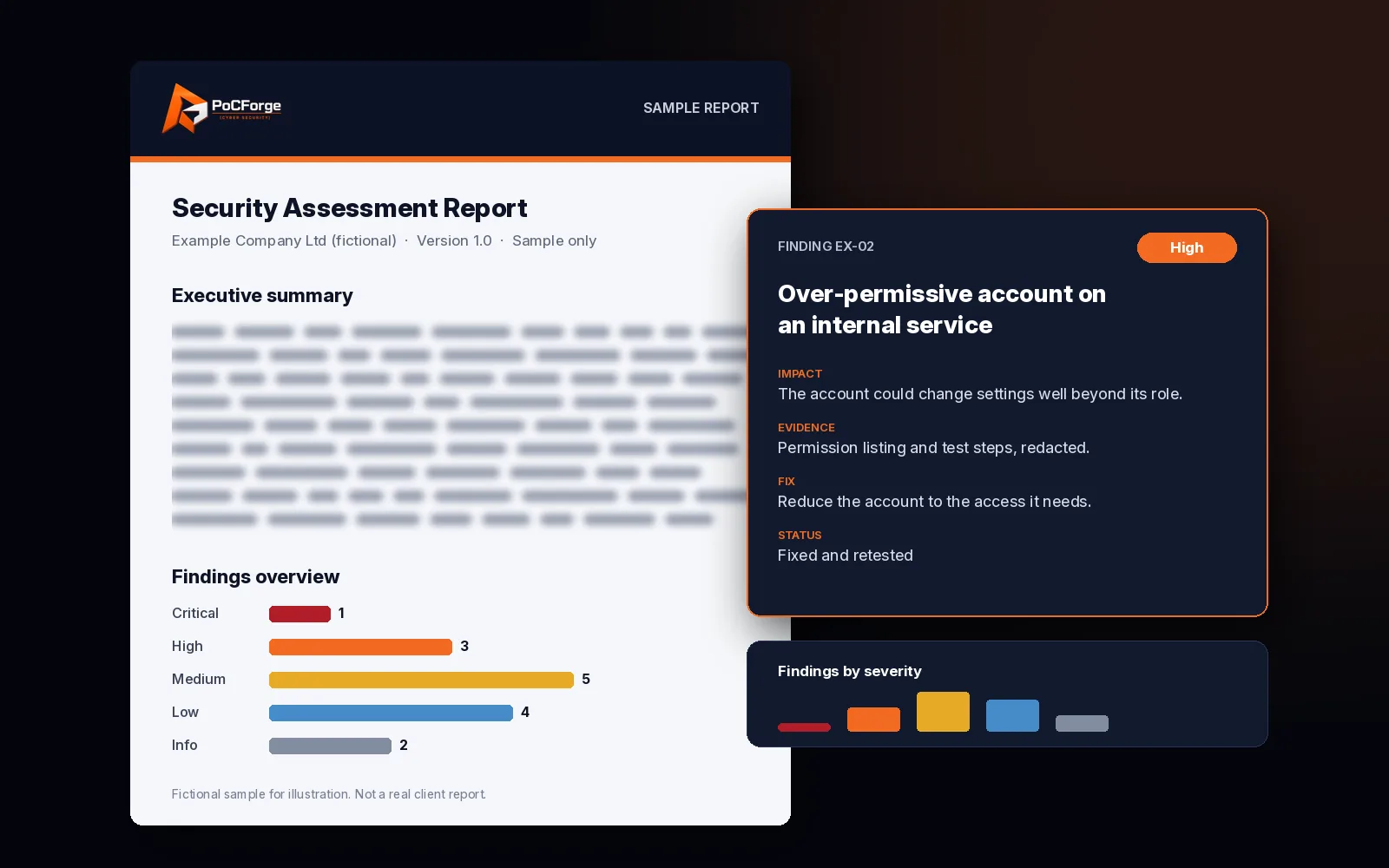
Deliverables
- Executive summary of the main risks and what to fix first.
- Technical findings, prioritised by risk, with the setting, resource or account named and the evidence.
- Remediation recommendations written for the Azure, identity and Microsoft 365 owners.
- Breach assessment results showing which simulated steps were detected, alerted on or missed.
Azure environment configuration review
Scope is sized to the Azure services you actually run, across the subscriptions you name. Where traffic is filtered by a third-party or cloud-managed firewall rather than Azure Firewall, we review the Azure side with that in mind and note what sits outside Azure.
Governance and identity
- Subscriptions and management groups
- Identity and access, role-based access control and just-in-time privileged access
- Managed identities and service principals
- Azure Policy
Networking and exposure
- Virtual networks, subnets and peering
- Network security groups
- Azure Firewall or third-party firewalls
- VPN and ExpressRoute gateways
- Public IP addresses
- Load balancers, Application Gateway and WAF, Front Door
Compute and applications
- Virtual machines and scale sets, including patching
- AKS, containers and container registries
- App Service and Functions
Data and secrets
- Storage accounts
- Key Vault
- Azure SQL, Cosmos DB and other databases
- Backup and recovery
Detection and logging
- Endpoint and cloud protection tooling
- Platform monitoring and log collection
- Security monitoring (SIEM)
- Diagnostic settings and alerting
Benchmark alignment
Findings are mapped to the Microsoft cloud security benchmark, so each one points at the control your team already knows.
Microsoft 365 security assessment
For any Microsoft 365 tenant, whatever licences you hold. The scope adapts to the services and security features your licences include, and many of those controls are paid for but not always switched on or tuned.
Identity and access
Sign-in policies, guest and external access, role assignments and application consent.
Authentication and privileged access
Multi-factor authentication, conditional access rules, admin roles and how privileged access is granted and reviewed.
Email and collaboration
Mail protection, forwarding rules, chat and meeting settings, and external collaboration.
File sharing and external sharing
Sharing links, anonymous access, external sharing defaults and who can see sensitive files.
Device and endpoint management
Compliance and configuration policies, and how device state feeds access decisions.
Threat protection and detection
Coverage, policy settings and alerting across your Microsoft security tooling.
Data protection and governance
Labelling, data loss prevention and retention, checked against where sensitive data actually lives.
Apps, integrations and automation
Permissions, connectors and sharing for business apps, reports and automated workflows.
Logging and monitoring
Audit logging, retention of sign-in and activity records, and whether alerts reach someone.
Breach assessment
Configuration reviews show what is set. The breach assessment shows what happens when someone uses it. We run controlled simulations from two accounts you provide:
- Standard user account: a typical employee with baseline permissions.
- Elevated user account: a user with administrative or enhanced permissions.
From each, we look for privilege escalation, identity weaknesses across Azure and Microsoft 365, lateral movement, and unauthorised access to sensitive data. For every step we record whether your Microsoft security tooling detected it, whether an alert was raised, and whether your team could see it. Simulations are non-destructive and agreed in the rules of engagement before they run.
How scoping works
Tell us which Azure subscriptions are in scope and the main services running in them, which Microsoft 365 services you use, and which components you want. We size the effort to that, not to a fixed package. Read-only roles are enough for the configuration reviews. The breach assessment needs the two test accounts and agreed rules on timing, notification of your security team and what is off limits.
If you only need one component, such as a Microsoft 365 review before a customer audit, that is fine. For a wider look at AWS, GCP or multi-cloud identity, see the cloud security assessment.
Scope and rules
- Agree scope. Subscriptions, tenant, components in scope and the two test accounts.
- Azure configuration review. Read-only review of identity, networking, compute, data stores, secrets and logging across the agreed subscriptions.
- Microsoft 365 assessment. Identity, devices, threat protection, collaboration, data protection and app permissions.
- Breach assessment. Controlled simulations from the standard and elevated accounts, with detection recorded for each step.
- Report and walkthrough. Risk-prioritised findings, remediation steps and an executive summary, walked through with your team.
Cloud identity attack-path review
Anonymised cloud identity attack-path pattern: role chains, workload identities and data reachability — finding classes only.
Read the case study →- Configuration review
- Controlled breach assessment
- Read-only review
Related
Frequently asked questions
Can we book only one of the three components?
Yes. The Azure review, Microsoft 365 assessment and breach assessment can be scoped on their own or together.
What access do you need?
Read-only roles for the Azure and Microsoft 365 reviews. For the breach assessment, one standard and one elevated user account that you create and control.
Will the breach assessment disrupt users?
No. Simulations are controlled and non-destructive, and the timing and limits are agreed in writing before testing starts.
Does the assessment depend on our Microsoft 365 licences?
No. We assess tenants on any licence tier. The review covers the services and security features your licences include, and notes where a control is not available to you.
Scope a Microsoft cloud readiness assessment
Tell us your subscriptions, the Microsoft 365 services you use and which of the three components you need.
Request a free scope review →